
Wellington Airport's store directory lists no Spark, One NZ or 2degrees store, so you cannot count on buying a phone plan as you walk out of arrivals. The only shop that lists SIM cards is Relay International, inside Duty Free in International Departures, which is airside and no help when you land. The terminal has free Wi-Fi (WLG Airport FreeWiFi), so you can get online briefly, but the simple fix is a Saily eSIM set up before you fly, from US$3.99 for 1 GB over 7 days, or One NZ's travel eSIM, which you activate by calling 777 once you land. Spark says its airport kiosks are in Auckland and Christchurch. As at November 2026.
On this page
Key facts
- Phone network store in the terminal
- None listed by Wellington Airport
- Shop listing SIM cards
- Relay International, International Departures (airside)
- Free Wi-Fi
- WLG Airport FreeWiFi, sign up with a short form
- Airport closed
- Daily, 1:30 am to 3 am
- Saily from
- US$3.99 for 1 GB over 7 days
- 3G
- Switched off nationwide; you need a 4G phone
- Checked
- As at November 2026
Wellington is a compact capital, and the airport is only a short ride from the waterfront, so it is easy to assume you can grab a local SIM on the way out and sort the rest later. That is the catch. Unlike Auckland and Christchurch, Wellington Airport has no phone network store in the terminal, and the one shop that lists SIM cards is on the wrong side of security for arriving passengers.
The good news is that the fix takes five minutes at home. Below is what Wellington Airport actually sells, how to use the free Wi-Fi, and the best ways to land already online, using Wellington Airport, Spark, One NZ, 2degrees and Saily’s own pages as at November 2026.
Quick answer
| You want | Best option |
|---|---|
| Data the moment you land | An eSIM installed before you fly |
| A New Zealand number for calls and texts | One NZ travel eSIM, or a SIM from a store in the city |
| To keep your home number on WhatsApp | A data-only eSIM such as Saily |
| To message your hotel straight away | The airport's free Wi-Fi |
Get a Saily eSIM for New Zealand
What Wellington Airport sells
Wellington Airport’s shop directory, as at November 2026, lists duty free, clothing, gifts, beauty, eyewear, tech accessories and two Relay convenience stores. None of them is a Spark, One NZ or 2degrees store.
| Shop | Where | Hours (airport listing) | SIM cards? |
|---|---|---|---|
| Relay International | Level 1, International Departures, inside Duty Free | Open for all international departures | Listed among its products |
| Relay (main terminal) | Level 1, main terminal | Mon to Fri 6 am to 8 pm; Sat and Sun 7 am to 7 pm | Not listed |
| Tech2Go | Level 1, main terminal | 6 am to 8 pm daily | Not listed; chargers, power banks and adapters |
| Duty Free @WLG | Level 0, International Arrivals | Open for all international arrivals | Not listed |
The one shop that lists SIM cards, Relay International, is inside Duty Free in International Departures. You only reach it after departure security, so it is useful on the way home, not when you land.
The main terminal Relay is on Level 1 and sells snacks, drinks, tech accessories and travel essentials, but its product list does not mention SIM cards. If you are passing, it costs nothing to ask, but do not plan around it.
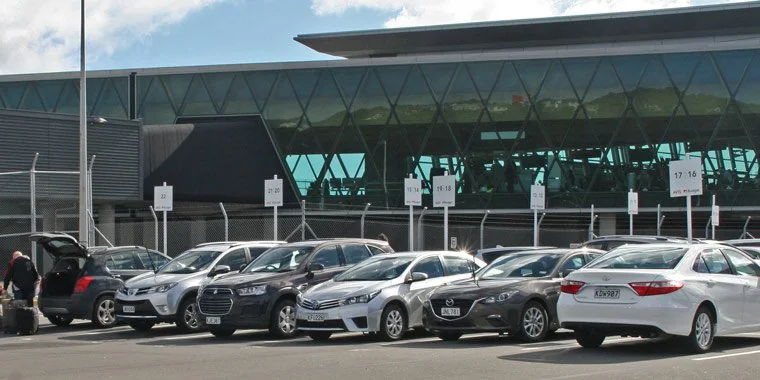
Free Wi-Fi in the terminal
Wellington Airport offers free Wi-Fi for visitors. To connect:
- 1Turn on Wi-Fi
Choose the network called WLG Airport FreeWiFi.
- 2Open any web page
You are redirected to a short online form.
- 3Complete the form
Once it is done, you are connected.
If it will not connect, the airport suggests checking that DHCP is enabled in your wireless settings, that no proxy server is set, and restarting the device. Wi-Fi is handy for messaging your accommodation or downloading an eSIM you have already bought, but it ends at the terminal doors.
Note the overnight close as well: the airport says it is open daily but closed from 1:30 am to 3 am, so a very late arrival should have the first night’s plans sorted before landing.
The eSIM fix, before you fly
Because there is no store to fall back on, an eSIM is the most reliable plan for Wellington. You install it at home on Wi-Fi, and it starts working when you land.
Saily
Saily is a data eSIM. Its official New Zealand page, as at November 2026, lists these plans:
| Data | Duration | Price |
|---|---|---|
| 1 GB | 7 days | US$3.99 |
| 3 GB | 30 days | US$9.99 |
| 5 GB | 30 days | US$13.99 |
| 10 GB | 30 days | US$23.99 |
| 20 GB | 30 days | US$37.99 |
Saily says to install the eSIM before you leave, on a stable Wi-Fi connection, turn it on in your settings and enable roaming. The plan then activates automatically when you arrive, and every plan has a 180-day activation period, so you can buy well ahead. It names Wellington among the cities it covers, with quality depending on the local network. Saily also sells optional calls and texts with a phone number, but WhatsApp and FaceTime calls work fine over data.
One NZ travel eSIM
One NZ sells a travel eSIM online: buy it before you fly, then call 777 to activate it once you land. Its published NZ Travel SIM plans, as at November 2026, last 30 days ($29), 60 days ($49) or 90 days ($69 and $99), and include data, minutes and texts. This is the better pick if you want a local New Zealand number.
Spark eSIM
Spark’s visiting New Zealand page says a basic way to get a New Zealand number is a $5 prepaid SIM or a Spark eSIM, which it says is free, and suggests an NZ Travel Pack for stays of up to three months. The same page says its airport kiosks are for travellers flying into Auckland or Christchurch, so in Wellington you would set up the eSIM yourself or visit a store in town.
What about 2degrees?
New Zealand has three national networks: Spark, One NZ and 2degrees. 2degrees sells an Unlimited Travel SIM and says you can order it from a partner with worldwide delivery, or find it at select airports, popular tourist destinations and 2degrees retail stores. Wellington Airport’s directory does not list a 2degrees store, so if you want 2degrees, order it before you travel.
Getting into the city
Once you are connected, the city is close. Metlink’s Airport Express bus runs between the airport and Wellington Station via Kilbirnie, Hataitai, Courtenay Place, Manners Street, Willis Street and Lambton Quay. If you still want a physical SIM, One NZ says to stop by one of its stores when you get here, and Spark and One NZ both have store finders on their websites, so look up the nearest one once you have checked in.

Picking the right base makes the first day easier: where to stay in Wellington compares the CBD, Te Aro, Oriental Bay and Thorndon. Driving on from the airport instead? Car hire at Wellington Airport covers where the desks are and the late-night close.
Setup checklist
- 1Check the phone at home
It must be unlocked and work on 4G. New Zealand has switched off 3G nationwide.
- 2Buy and install an eSIM before you fly
Do it on home Wi-Fi. Saily activates when you land; One NZ needs a call to 777.
- 3Turn off home roaming
Set your home line not to use data abroad, so you do not get a surprise bill.
- 4Land and switch off airplane mode
If anything fails, join WLG Airport FreeWiFi and fix it before you leave the terminal.
- 5Download offline maps
Coverage is strongest in the city; rural roads can have gaps.
3G shutdown and coverage
The New Zealand Telecommunications Forum says the 3G shutdown is complete nationwide. Phones that can only use 3G will not get a normal service, and you should not assume they can call 111. If you are not sure about an older handset, check its 4G bands before you travel.
Coverage is strongest in and around the city. Expect gaps once you head out on rural and remote coastal roads, so download offline maps before a road trip and do not rely on your phone as the only way to navigate.
Which option to choose
- Short city break, data only: a small Saily plan
- Need a local number: One NZ travel eSIM, activated by calling 777
- Long trip, heavy use: a bigger travel plan from a network store in the city
- Older phone without eSIM: airport Wi-Fi to get going, then a physical SIM from a store in town
Flying through another airport on a later trip? Our Auckland Airport SIM card guide and Christchurch Airport SIM card guide cover the stores there, and the best eSIM for New Zealand compares the main options side by side. Connecting on to Nelson? Nelson Airport and Dunedin Airport have no phone store either.
FAQ
Can I buy a SIM card at Wellington Airport?
Is there free Wi-Fi at Wellington Airport?
Does Spark have a store at Wellington Airport?
What is the best SIM option if I land in Wellington?
Will my phone work in New Zealand?
Sources
Last checked 17 November 2026
- Shop · Wellington Airport
- Relay International · Wellington Airport
- Relay (main terminal) · Wellington Airport
- Duty Free @WLG, International Arrivals · Wellington Airport
- Internet and WiFi · Wellington Airport
- Airport Express · Metlink
- Set up with Spark while visiting NZ · Spark
See more sources (4)See fewer
- Travel SIM and eSIM for visitors · One NZ
- Unlimited Travel SIM · 2degrees
- New Zealand eSIM prepaid data plans · Saily
- 3G shutdown complete nationwide · New Zealand Telecommunications Forum